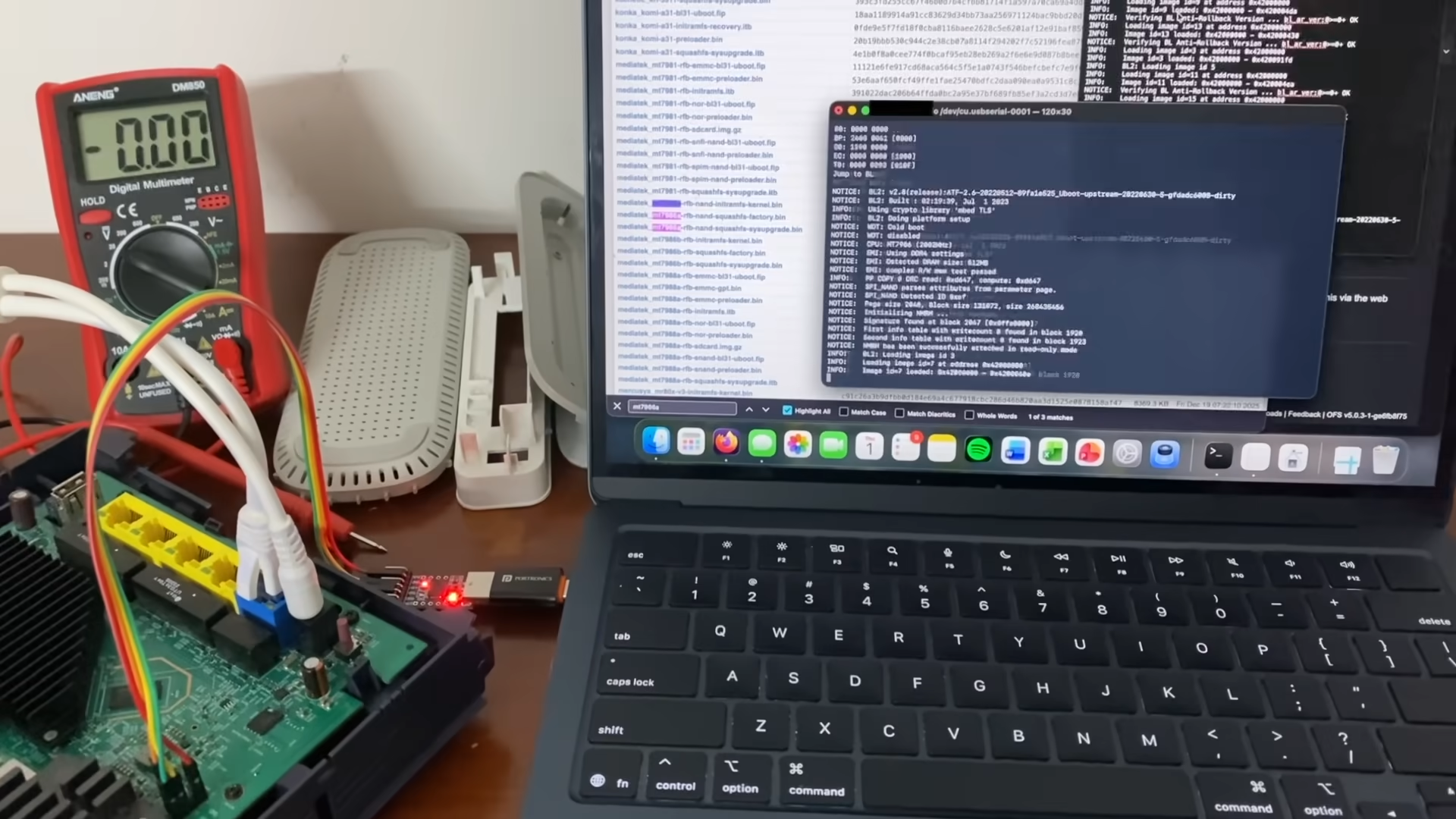
UART output of the router booting
Recently, I’ve been getting more into reverse-engineering, especially into embedded systems. So I decided to make my ISP’s WiFi router (which I won’t be naming for obvious reasons) the subject. I am a strong proponent of free software, and decided that it’s time I break free of the locked-down firmware imposed by my ISP. My original goal was to replace the OS on it with OpenWrt.
Hardware Reconnaissance & Platform Analysis
As always, the first step is reconnaissance; I had to understand the platform. A physical teardown of the router shows that it has a MediaTek MTK7986 (Filogic 830) SoC, whose reference boards are compatible with OpenWrt 24.10.x, so I downloaded the OpenWrt initramfs-kernel image.
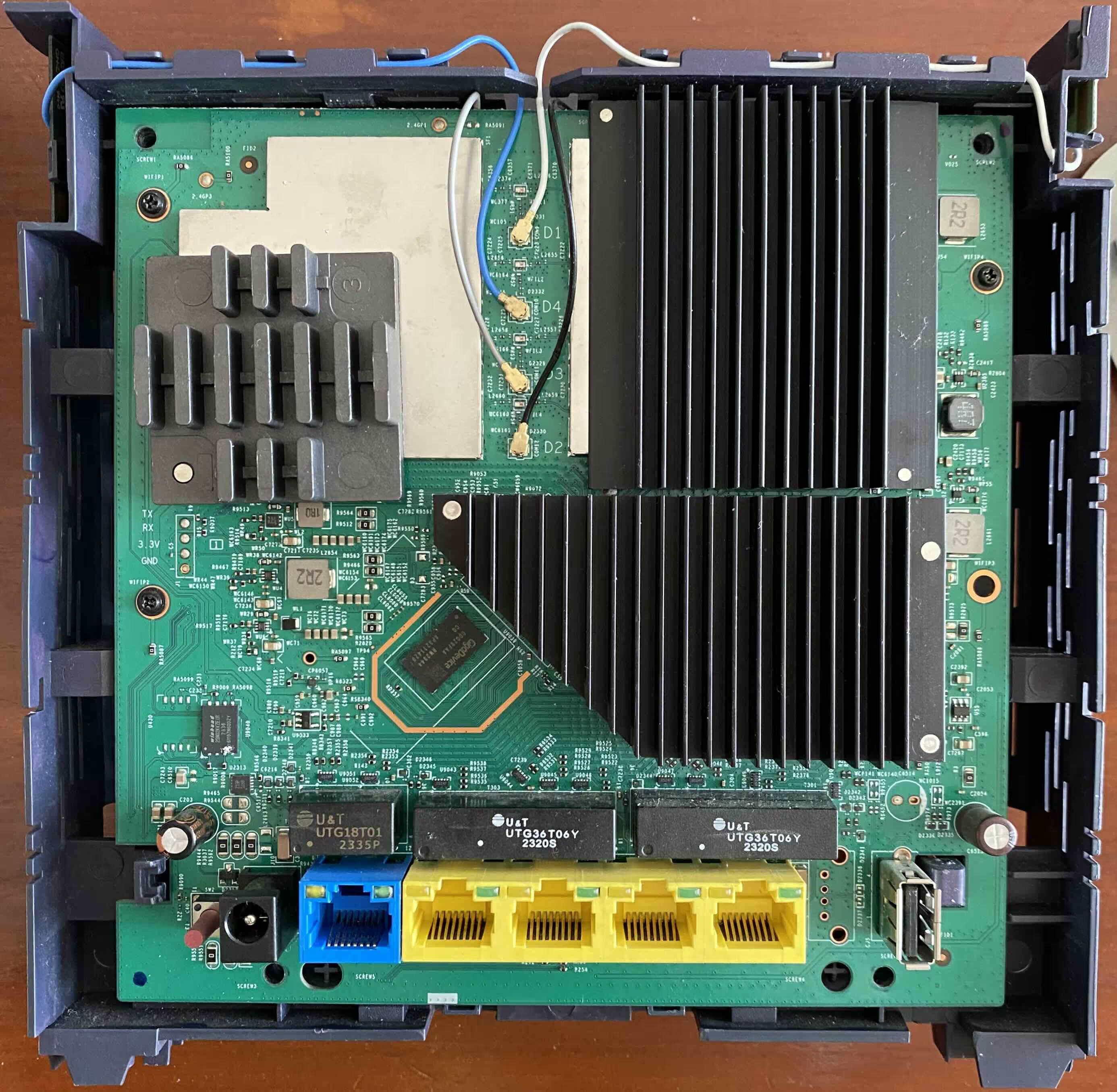 | 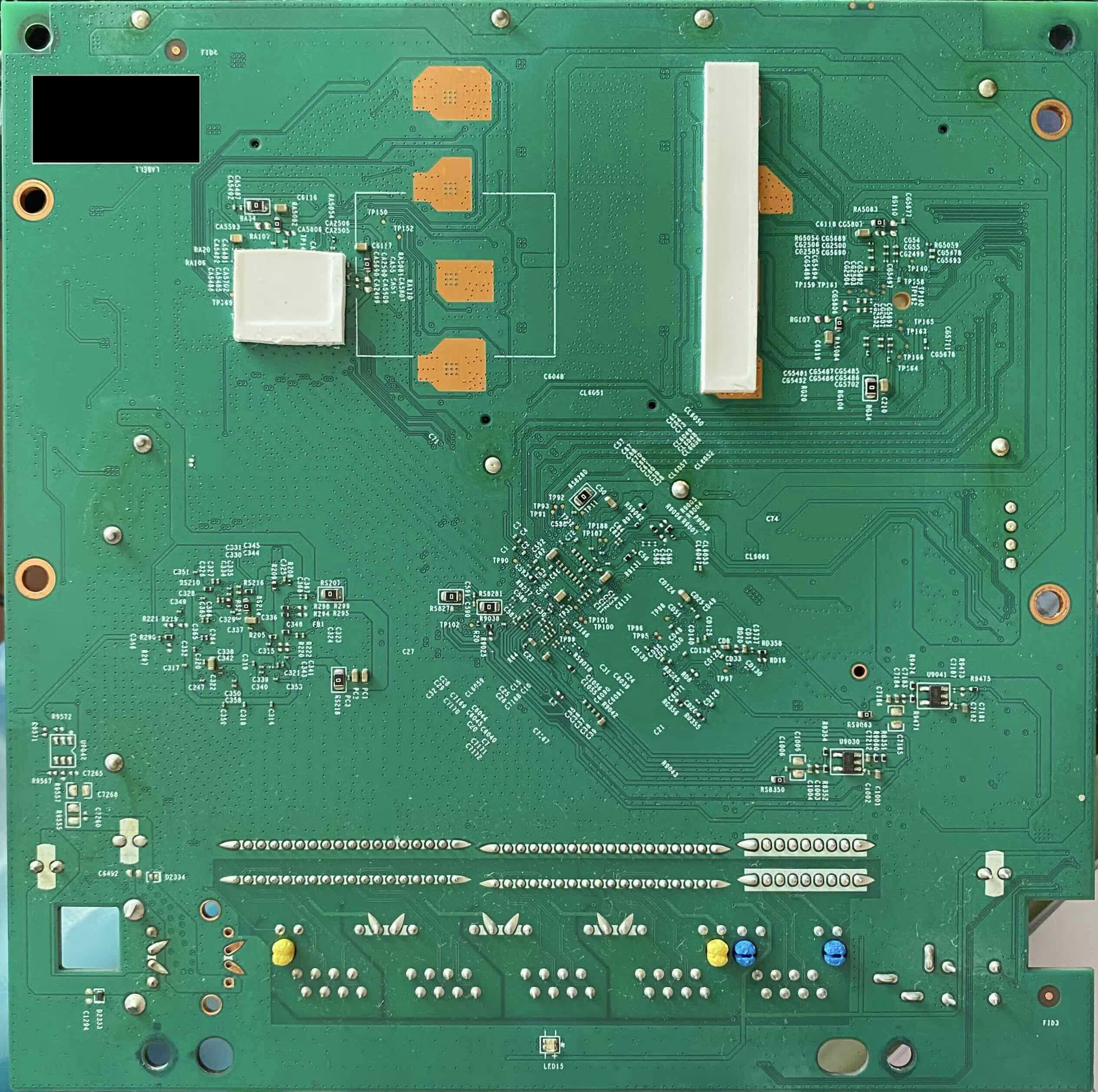 |
Teardown of the router (front and back)
Firmware Lockdown & Configuration Backup Encryption
However, the web dashboard doesn’t accept any firmware that isn’t signed by the ISP. So I had to find a workaround. While exploring the web dashboard, I noticed I could download the backup file which is in the form of a .tar.gz. Attempting to extract it with tar -xzvf failed. A hexdump -C -n 16 of the backup file showed 53 61 6c 74 65 64 5f 5f (corresponding to “Salted__”) indicating it has been OpenSSL encrypted using the password-based enc format. To understand how the backup was encrypted, I downloaded the router’s firmware image and used QEMU AArch64 static chroot. Running strings on ccrypt, which is the binary used for encryption, followed by strace showed that the command was openssl enc -pbkdf2 -in encryptedfile -out decryptedfile -d -aes256 -k "/etc/server.key". (Yes, using -k instead of -kfile, meaning the literal string "/etc/server.key" is used as a password and expanded via PBKDF2 rather than reading key material from the file.)
Gaining Root Access via Encrypted Backup Tampering
It turns out that the backup file was a snapshot of the /etc/ directory. I had to modify the shadow, mwan3.user and dualwan files to set my own root password that allows me to dropbear SSH into a BusyBox shell. I realised that even the ISP uses a snapshot of OpenWrt 21.02, which is good, considering ISPs predominantly use proprietary buildroots, but that means the ISP had effectively frozen the system on an older release with unpatched vulnerabilities.
UART Access & Vendor-Modified U-Boot
Earlier, I had already soldered headers onto the router’s UART. Using a CP2102 USB-to-TTL adapter and tio, I gained access to the router’s serial debug interface which prompted for the username and password for access to U-Boot. Implying that this is a vendor-modified U-Boot build, as stock U-Boot does not implement authentication.
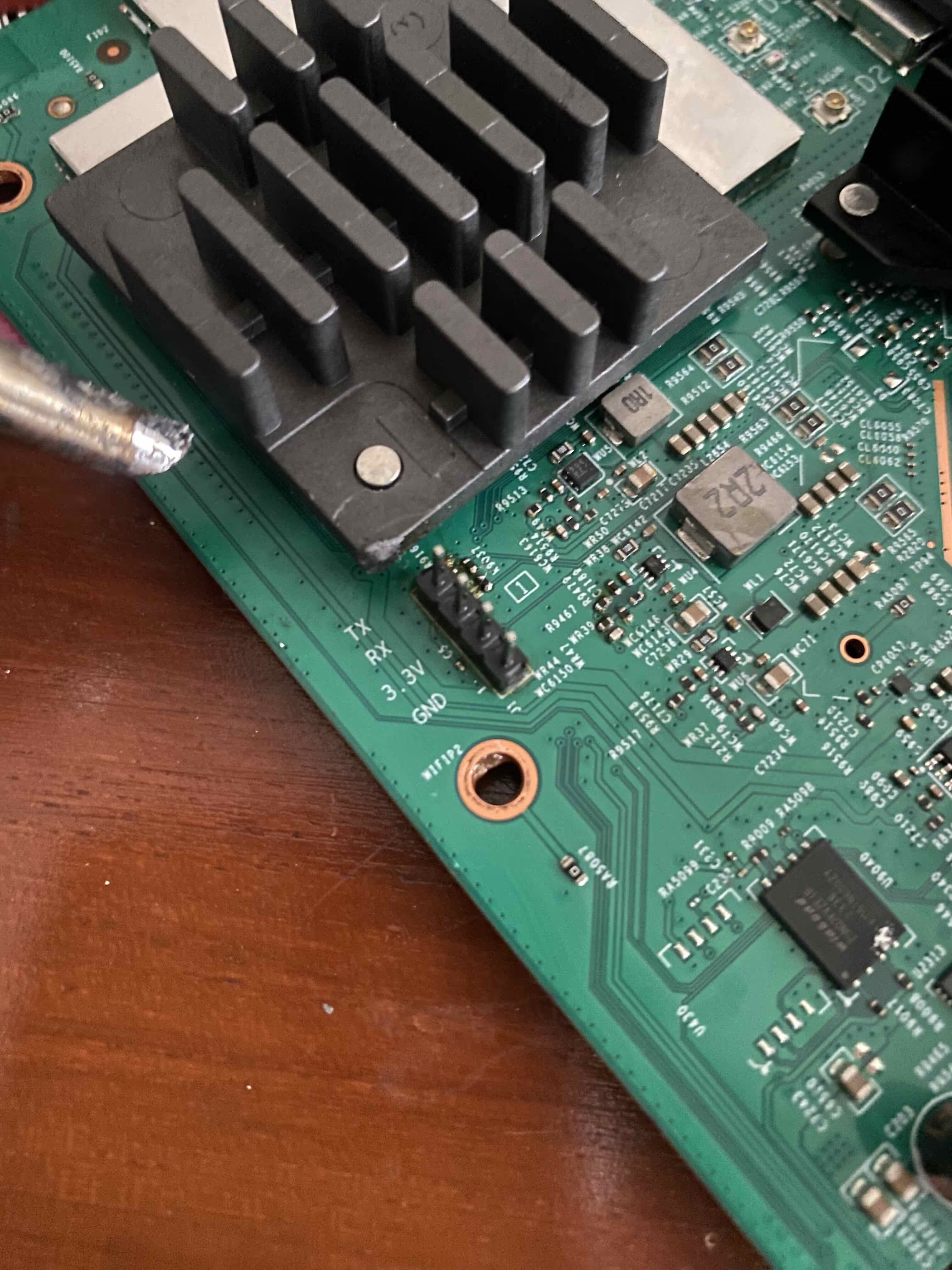 | 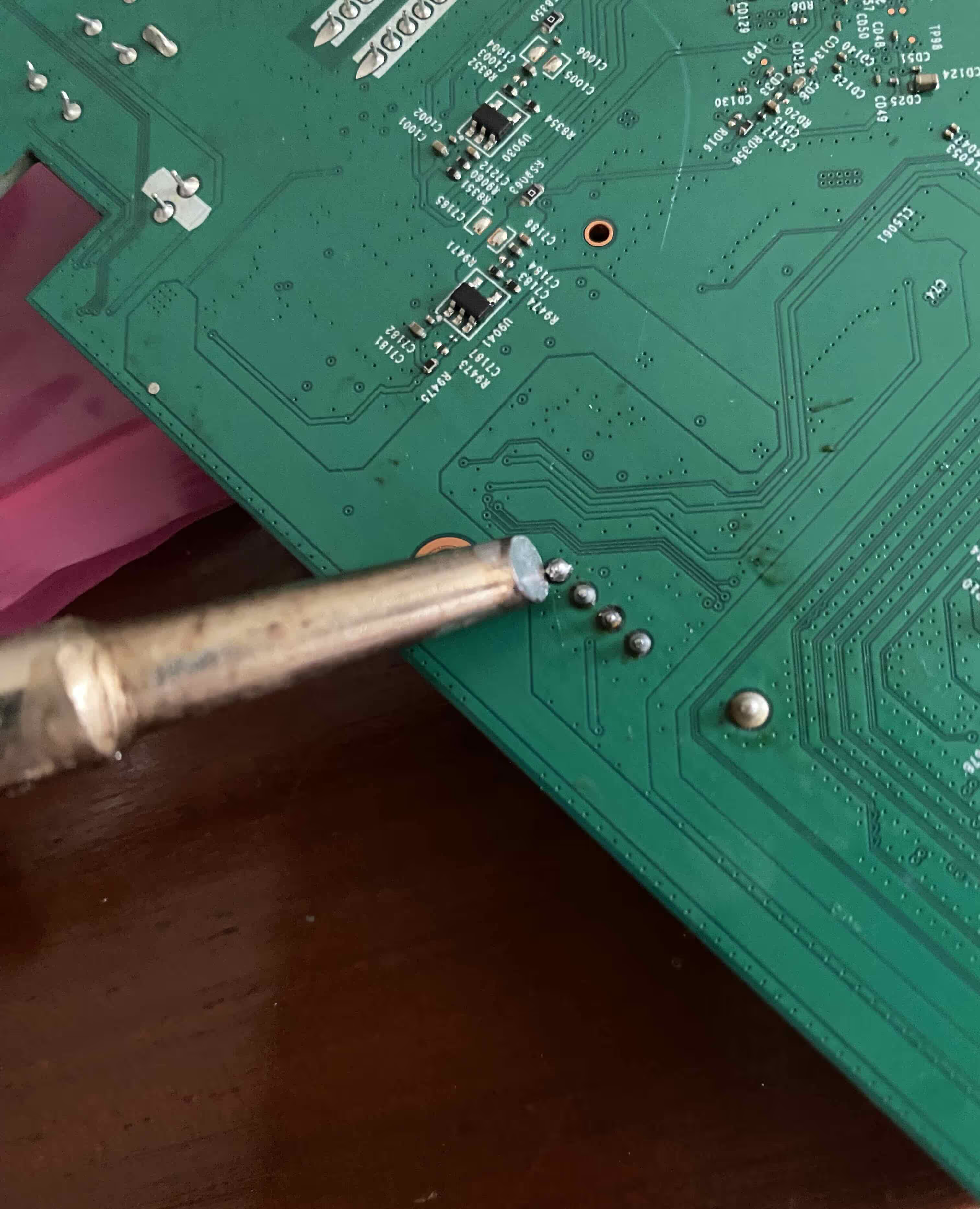 |
Soldering headers on the router’s UART port (front and back)
Boot Process, Watchdogs & NAND Layout
Looking through the UART output, I noticed many peculiar things about this router. There are two watchdogs, one runs early:
NOTICE: WDT: Cold boot
NOTICE: WDT: disabled
This is the SoC hardware watchdog which is enabled by the boot ROM and then disabled by BL2 during early boot to prevent resets during long DRAM and NAND initialisation.
A Linux watchdog also exists that is serviced by procd which resets the router if userland or kernel hangs for 31s, i.e. stops making forward progress.
mtk-wdt 1001c000.watchdog: Watchdog enabled (timeout=31 sec, nowayout=0)
init: - watchdog -
procd: - watchdog -
There are also 8 partitions on the NAND:
[    1.359897] 8 fixed-partitions partitions found on MTD device nmbm_spim_nand
[    1.366942] Creating 8 MTD partitions on "nmbm_spim_nand":
[    1.372424] 0x000000000000-0x000000100000 : "BL2"
[    1.377649] 0x000000100000-0x000000180000 : "u-boot-env"
[    1.383326] 0x000000180000-0x000000380000 : "Factory"
[    1.388757] 0x000000380000-0x000000580000 : "FIP"
[    1.393853] 0x000000580000-0x000009180000 : "ubi"
[    1.399189] 0x000009180000-0x00000eb80000 : "ubi2"
[    1.404542] 0x00000eb80000-0x00000ed80000 : "mfg"
[    1.409629] 0x00000ed80000-0x00000ef80000 : "<ISPname>-Reserved"
Multiple random MAC addresses are also being generated intentionally. It implies that either the factory MAC is missing, or is being suppressed by ISP firmware (MACs have been replaced with 00:1A:2B:3C:4D:5E):
[    0.999856] mtk_soc_eth 15100000.ethernet: generated random MAC address 00:1A:2B:3C:4D:5E
...
[    1.017862] mtk_soc_eth 15100000.ethernet: generated random MAC address 00:1A:2B:3C:4D:5E
...
Warning: ethernet@15100000 (eth0) using random MAC address - 00:1A:2B:3C:4D:5E
The WiFi firmware is also separate and vendor-opaque, the main CPU does not fully control radio behaviour and DFS is hard-coded here, so even if I did change it to OpenWrt that limits me to how far I can mod WiFi behaviour w/o signed blobs.
[    8.983061] platform 15010000.wed: WO Firmware Version: DEV_000000, Build Time: 20231228200534
...
[   11.626474] mt7986-wmac 18000000.wbsys: WM Firmware Version: ____000000, Build Time: 20240325151449
...
[   11.709017] mt7986-wmac 18000000.wbsys: WA Firmware Version: DEV_000000, Build Time: 20231228200519
There was also a debug level selector:
Press the [1], [2], [3] or [4] key and hit [enter] to select the debug level
All of this suggests that it is far from a vanilla OpenWrt build.
While exploring the filesystem, a script named etc/mfg/gm_mtc/gm_factory_init.sh stood out and that contained the logic that generates the router’s U-Boot credentials, which by the way, is unique for each router. After rebooting, interrupting autoboot at the right moment, and authenticating, I finally reached the MT7986> U-Boot prompt.
The router has 512 MB of RAM and 256 MB of NAND flash. Pretty substantial for a router that at maximum handles about 20 devices.
Secure Boot Enforcement & FIT Signature Verification
Using loady, I transferred the OpenWrt initramfs-kernel (~8 MB) into 0x48000000 memory, which took ~12 minutes (expected for YMODEM at 115200 baud), and attempted to boot it with bootm 0x48000000 but it failed with Failed to verify required signature Bad Data Hash error. Implying that U-Boot enforces mandatory FIT signature verification, with the public key compiled into the bootloader. The legacy verify=yes/no mechanism does not exist.
I decided to take an alternative approach with booti 0x48000000 - 0x5f7fd620 which failed with Bad Linux ARM64 Image magic!. That’s weird, so I iminfoed and found that it’s actually an FIT which is LZMA compressed. After manually extracting with imxtract, cp.b and lzmadec later, I bootied again with the memory addresses of each, kernel, initramfs and DTB. However, despite multiple attempts, the kernel never presented a valid ARM64 Image header magic: 0x644d5241 (ARMd). It turns out the ISP-modified U-Boot does not provide a path to extract and boot FIT-integrated kernels correctly.
Examining the full uninterrupted UART output shows that the router is pretty robust and secure for consumer equipment. The root of trust begins in the immutable ROM which loads and verifies BL2. The BL2 here uses mbed TLS for later stage verification. BL2 enforces rollback protection, and loads a RSA2048 (key embedded upstream in the boot chain) verified U-Boot, which in turn, enforces the FIT signature for OpenWrt.
Boot chain:
ROM → BL2 (signed, rollback-protected) → U-Boot (signed) → Linux (signed FIT only) → SquashFS (immutable) → Overlay (disposable)
Immutable Filesystem & A/B Firmware Redundancy
Also, the router uses an A/B firmware layout, that is, two separate firmware copies are maintained for redundancy, making it nearly impossible to brick the device by normal failures such as firmware updates, power loss or resetting the device.
I confirmed the immutable SquashFS by SSHing and running the age-old “delete System32” of Linux devices, sudo rm -rf /. BusyBox processed it and deleted the writable overlay since the root filesystem itself is immutable SquashFS. I was left with a non-working system (evidenced by the inode failures). After a reboot, the router was up and running. It did recover, and the router performed a factory reset, evidenced by the loss of my SSH and custom root password.
Security Architecture Summary
This makes my router effectively unbrickable. I would have to break at least three independent measures:
- Secure boot chain (ROM, BL2, U-Boot)
- NMBM metadata
- A/B firmware redundancy
Lessons Learned
At this point, I had reached a dead end. Flashing the NAND directly using an SPI programmer would not help for unsigned firmware, as the ROM will only execute a signed BL2 (NAND is not encrypted). The only way forward would be to find a SoC-specific exploit or hardware fault injection, both of which are well beyond the scope of this project. Bypassing secure boot would shift the project from firmware RE to hardware security research.
While I didn’t achieve my original goal of running OpenWrt, this project was far from a failure. It was a valuable learning experience, especially as a first exposure to embedded systems, low-level firmware, and hands-on hardware work such as soldering. It was well worth the Rs. 800 I spent on tools for this. I did learn about ARM architecture, Trusted boot chains and MediaTek’s secure boot design, FIT images, DTBs, and initramfs handling, U-Boot and UART.
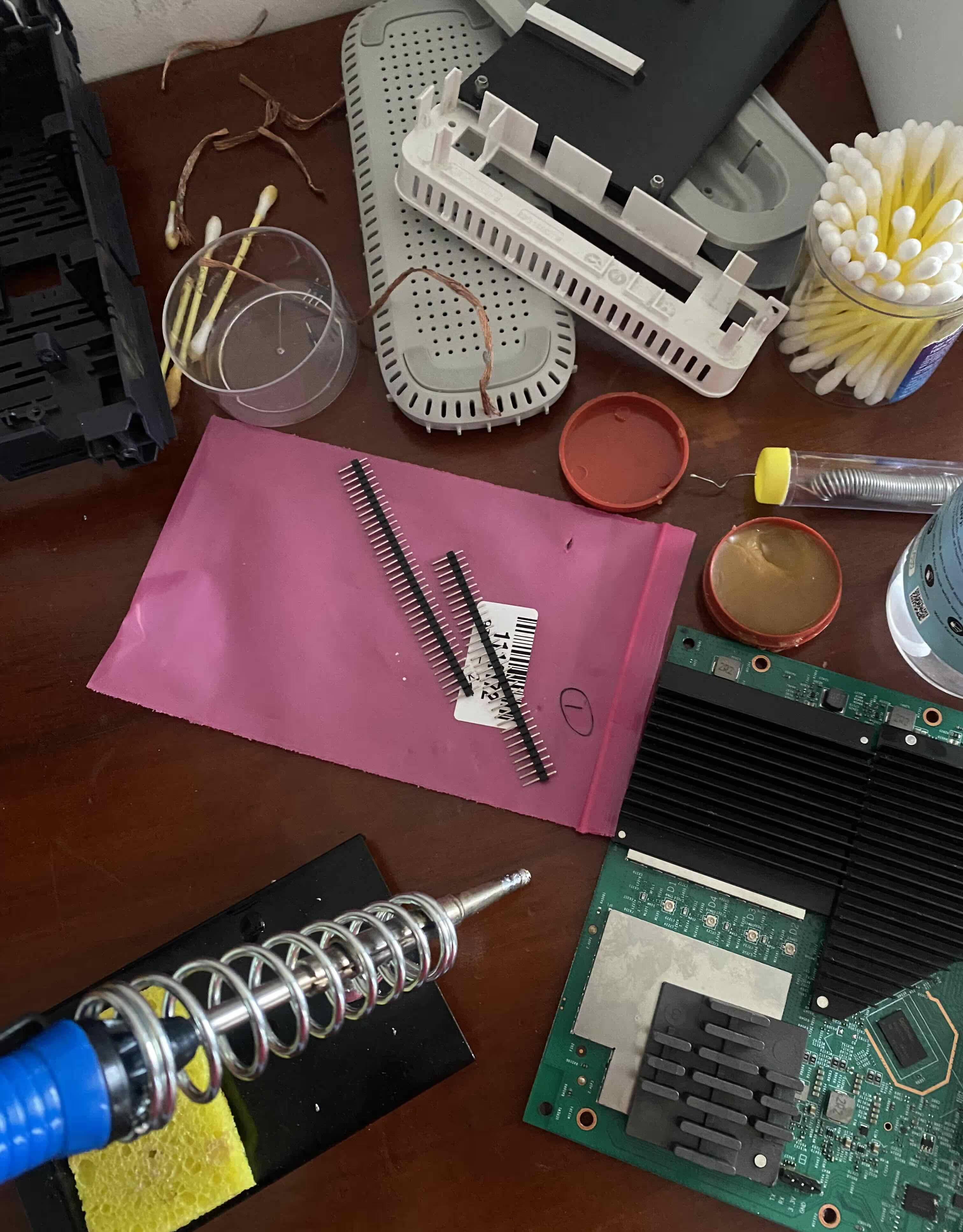
Tools and setup used for the project
Overall, despite its ups and downs, this was a valuable learning experience, and one that I’ll carry forward into future projects.